



Customers rarely engage with email campaigns that feel generic or irrelevant. They expect brands to understand their interests and deliver content that reflects what they have actually been looking for. Browsing history and customer behavior help you deliver email campaigns that are more relevant to every customer.
While personalization once focused on basic details like using a customer’s name or segmenting audiences into broad groups, today’s email marketing strategies can go much further with delivering relevant product recommendations, timely reminders, and content that aligns with each customer’s interests.
In this article, we’ll explain what browsing history means in email marketing, why it matters, how to use it effectively, and which campaigns benefit most from customer behavior data.
What Is Browsing History in Email Marketing?
In the context of email marketing, browsing history refers to data collected from a customer’s interactions with a company’s website. It shows what content, products, and categories a visitor has viewed and helps marketers understand potential interests and purchase intent.
Browsing history does not simply refer to a person’s browser history. Instead, it focuses on website behavior data that a business can use to create more relevant customer experiences.
Examples of browsing history data include:
- Products viewed by the customer
- Categories they have explored
- Searches made on the website
- Pages they have visited multiple times
- Time spent viewing specific content
- Product comparisons and filtering behavior
One of the biggest advantages of browsing history is that it provides insight into potential interest before a purchase happens.
Purchase history tells you what a customer has already bought, while browsing behavior shows what they may be considering next.
Why Is Browsing History Important for Email Marketing?
Traditional email segmentation often relies on basic customer information such as demographics, previous purchases, or general preferences. While these factors remain valuable, browsing history adds another important layer: real-time customer intent.
A customer who recently viewed a product, searched for a specific solution, or repeatedly visited a certain category is actively showing interest. Using this information allows brands to create emails that are more relevant and useful to the client.
Using browsing history in email marketing can help you:
- Send more personalized and relevant emails
- Increase email engagement and click-through rates
- Improve conversion rates
- Reduce irrelevant marketing messages
- Create a better overall customer experience
Instead of sending the same message to an entire audience, adopt a more personalized approach, making emails feel like helpful recommendations rather than mass communication.
What Type of Data Can Browsing History Provide?
Browsing history includes much more than simple page visits. When combined with other customer signals, it can provide valuable insights into customer interests and buying behavior.
Viewed Products
Product views are one of the most valuable signals for e-commerce email marketing.
Examples include:
- A customer viewing the same product multiple times
- Interest in higher-priced products
- Repeated visits to products from a specific brand
- Looking at products without completing a purchase
These actions can indicate strong purchase consideration and create opportunities for targeted email campaigns.
Visited Categories
Category-level behavior helps identify broader customer interests.
For example, a visitor who repeatedly explores running shoes, home electronics, furniture, or perhaps skincare products, may not have selected a specific product yet, but their browsing behavior still provides valuable information for personalization.
Website Searches
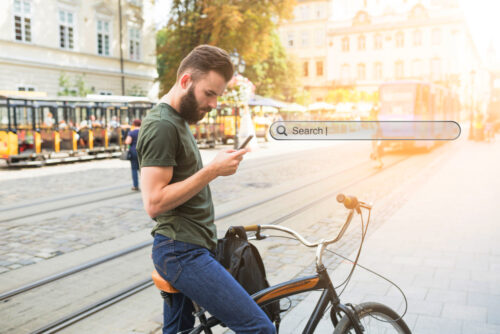
Search behavior often reveals strong customer intent because users actively describe what they are looking for.
Examples:
- “Waterproof jacket”
- “Children’s running shoes”
- “Laptop under $1000”
Search data can help you send highly relevant product recommendations and content.
Frequency and Recency of Behavior
Not all browsing activity has the same value.
Recent actions usually indicate a stronger interest than older interactions.
For example:
- Viewed a product 10 minutes ago → high purchase intent
- Viewed a product two weeks ago → lower relevance
The frequency of visits also matters. A customer who repeatedly returns to the same product or category is showing a stronger signal than someone who visited once.
How Does Browsing History Work Technically?
The technical implementation of browsing history depends on the platforms and tools a business uses. However, the general process usually includes four main steps: collecting data, identifying users, connecting data to marketing platforms, and activating personalized campaigns.
1. Tracking Website Behavior
The first step is collecting customer behavior data through tracking technology installed on the website.
This may come from:
- E-commerce platforms
- Analytics solutions
- Email marketing platforms
- Customer Data Platforms (CDPs)
A tracking script records relevant actions such as product views, category visits, searches, and interactions.
2. Identifying the Visitor
To use browsing behavior in email marketing, the system needs to connect website activity with a known customer profile.
This can happen through:
- Newsletter clicks
- Account logins
- Registration forms
- Website forms
- Consent-based tracking methods
Once the visitor is identified, their browsing behavior can be connected to their email marketing profile.
3. Sending Data to the Email Marketing Platform
Collected data is then transferred into the email marketing system.
There, it can be used for:
- Customer segmentation
- Automated workflows
- Personalized content
- Product recommendations
The exact setup depends on the tools used, but most modern marketing platforms support integrations that enable this process.
4. Triggering Personalized Campaigns
Once browsing behavior is available, you can create automated campaigns based on specific customer actions.
For example:
- A visitor views a product but does not purchase
- A customer repeatedly explores a category
- A subscriber shows interest in a specific type of content
These actions can automatically trigger personalized emails.
How Can Browsing History Be Used in Email Campaigns?
Browsing history can support many different types of email campaigns. When used correctly, it helps deliver messages that match the customer’s current interests.
1. Browse Abandonment Emails
Browse abandonment emails are designed for situations where a customer views a product but leaves without making a purchase.
A personalized email may include:
- The product they viewed
- Similar products
- Customer reviews
- Additional product benefits
- Relevant offers
These emails remind customers about products they already showed interest in without requiring them to start their search again.
2. Personalized Product Recommendations
Browsing behavior can help you recommend products based on individual interests.
For example, if a customer repeatedly views outdoor equipment, you can make future emails highlight related products, guides, or offers.
This approach makes email communication more relevant because recommendations are based on actual behavior rather than assumptions.
| 🟣 If you want to know more about how to successfully implement this type of email, read our article “Secrets to Effective Product Recommendation Emails” |

3. Abandoned Cart Emails
Browsing history can make abandoned cart campaigns even more effective.
In addition to reminding customers about products left in their cart, you can include:
- Related products
- Complementary items
- Alternatives based on browsing behavior
However, it is important to maintain balance. Too much personalization or too many reminders can make your customers feel uncomfortable.
4. Dynamic Newsletters
Dynamic newsletters allow different customers to receive different content within the same campaign.
For example:
- One subscriber may see sports-related products
- Another may receive home improvement recommendations
- A third customer may see technology-focused content
This allows you to create more relevant newsletters without manually creating separate campaigns for every audience segment.
5. Re-Engagement Campaigns
Are you worried about subscribers drifting away? Worry not, as browsing history can also help bring back inactive customers.
For example, if a customer has not purchased recently but continues to visit the website, you could send them personalized content based on their latest interests.
This creates an opportunity for you to reconnect with your customers at the right moment, while also showing them that remaining subscribed is worth their while.
Things to Consider When Using Browsing History
Using customer behavior data can create powerful marketing opportunities, but it must be done responsibly.
1. GDPR and Privacy Requirements
Browsing behavior is connected to personal data processing, which means you need to follow privacy regulations such as GDPR.
Important considerations include:
- Collect data transparently
- Request appropriate consent
- Explain how data is used
- Provide an option to unsubscribe or opt out
Trust is essential. Customers are more likely to appreciate personalization when they understand how and why their data is being used. Make sure the possibility to opt out is clearly visible and easy to do.
| 🟣 It’s essential for email marketers to stay compliant. To understand privacy rules better, check out our article “The History of GDPR and Other Privacy Rules in Email Marketing“. |
2. Avoid Being Too Specific
Personalization should feel helpful, not invasive.
🔴 For example, this type of message will definitely feel uncomfortable:
“We noticed you viewed this product three times yesterday at 8:43 PM.”
🟡 This is a better, but still questionable, option:
“Based on your search history, we’ve put together a list of things you’re likely to be interested in.”
🟢 The best approach would be:
“Here are some products you might be interested in.”
The goal is to provide value without making customers feel like they are being closely monitored.
3. Use Fresh and Relevant Data
Customer interests can change quickly. Older browsing behavior may no longer represent current needs.
Recent interactions usually provide stronger signals and should have more influence on personalized campaigns.
Best Practices for Using Browsing History in Email Marketing
To get the best results from browsing behavior data, focus on creating useful customer experiences.
Best practices include:
- Combining browsing history with purchase history
- Using real-time automation whenever possible
- Testing different levels of personalization
- Avoiding sending too many emails
- Monitoring and continuously optimizing campaign performance
- Focusing on customer value rather than only increasing sales
After all, successful personalization is not about collecting as much data as possible. It is about using the right data to create better and more relevant experiences.

Conclusion
Browsing history is one of the most effective tools for creating more personalized email marketing experiences. By understanding what customers view, search for, and interact with on a website, you can deliver more relevant messages at the right time.
Whether through browse abandonment emails, personalized recommendations, dynamic newsletters, or re-engagement campaigns, browsing behavior helps transform traditional email marketing into a more customer-focused experience.
However, the successful use of browsing history requires balance. When you use data transparently, respect privacy regulations, and focus on creating genuine value, personalization becomes a natural part of a better customer experience rather than a form of unwanted tracking.